Reproducible Environments & Projects
This module teaches you how to build truly reproducible projects.
You’ll learn:
- What reproducibility means in computational research and why it matters.
- How to use virtual environments with tools like uv to isolate project dependencies.
- How workflow management tools like Snakemake automate complex analysis pipelines.
- The essential components of comprehensive documentation that make projects understandable.
- Best practices for project organization that prevent errors and enable collaboration.
The Importance of Reproducibility
Have you ever tried to run someone else’s code, only to watch it fail mysteriously on your machine? Or worse, have you ever returned to your own project after a few months and found it no longer works?
Reproducibility is a cornerstone of good science and computational research. At its core, it means this: an independent researcher should be able to duplicate your results using the same materials and procedures. In data science, your code must produce the exact same outputs every single time, given the same input data, regardless of which machine runs it.
Let’s clarify a key distinction. Reproducibility asks: can an independent researcher achieve the exact same results using your data and code? This is a computational challenge. Replicability asks: can an independent researcher confirm your scientific conclusions by conducting a brand new, independent study? This is a scientific challenge.
We focus here on computational reproducibility. It’s the essential first step. Without it, replication becomes impossible.
Pillars of a Reproducible Project
Let’s talk about what makes a project truly reproducible. Achieving reproducibility requires a conscious effort and the right set of tools.
We can think of a reproducible project as having three main pillars: Virtual Environments, Workflow automation, and Comprehensive documentation.
Virtual Environments
A virtual environment is an isolated container holding all the packages and dependencies your project needs. Without one, you risk “dependency hell.”
Picture the problem. You have project A using pandas 1.3 and project B using pandas 2.0. Without virtual environments, your system has only one pandas version installed, and one project breaks. Virtual environments solve this by giving each project its own isolated package space.
For this course, we recommend uv. It’s a modern, blazingly fast Python package and environment manager written in Rust. Unlike older tools like pip and venv, uv combines both package installation and environment creation into one tool.
This integrated approach and high performance can dramatically speed up your Python workflows. Ready to get started? Check the uv documentation.
Why not conda? Conda is a mature, well-used tool in the Python community. Unlike uv, conda can manage non-Python dependencies like compilers or optimized BLAS libraries. This flexibility is powerful if you need system-level packages.
However, this same flexibility creates complexity. Conda environments can develop intricate dependencies that make them harder to replicate. uv focuses solely on Python packages, which actually simplifies reproducibility. Less flexibility sometimes means better reproducibility.
Workflow Management
As your project grows, the order of steps matters. One script preprocesses data, another trains a model, a third generates figures. Run them manually in the wrong order, or forget which ones depend on which, and errors creep in silently.
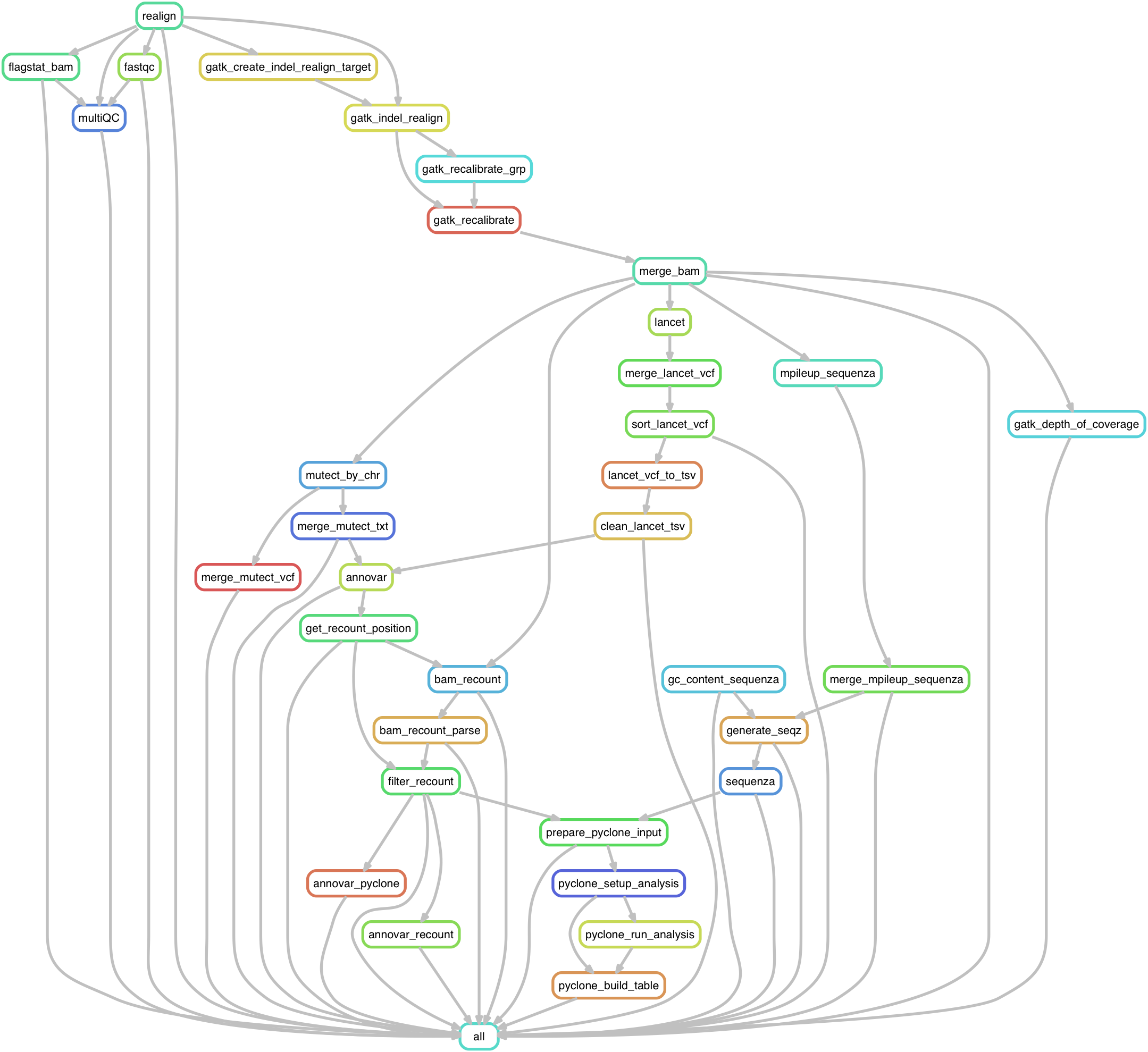
What’s the solution? A workflow management tool automates this complexity. You define the steps and their dependencies, and the tool figures out the correct order, runs them all, and even parallelizes where possible.
Snakemake is excellent for this. It uses a readable, Python-based language where you define rules: here’s how to create output files from input files. Snakemake handles the rest. Want to learn more? Watch this introductory video.
One principle matters deeply: make individual scripts atomic. One script preprocesses data. Another trains a model. A third generates figures. When scripts are minimal and focused, they become readable, reusable, and easy to debug.
Comprehensive Documentation
Code and data are not self-explanatory. Comprehensive documentation is crucial for anyone reading your project (including your future self) to understand the what, why, and how.
Every project should have a README.md file in its root directory. This file explains what the project is about, what the files are, and how to run the analysis.
A strong README includes a few key sections. Start with a clear project description explaining what it does and its goals. Add a file structure summary so readers can navigate. If you include example datasets, describe the data table structure, including column names and formats.
Provide installation instructions so people can set up the environment. Explain usage with examples of how to run the main scripts. Finally, add contact and license information so readers know who to ask and under what terms they can use your work.
Project Organization Best Practices
Beyond the core tools, organizing your project thoughtfully is crucial for long-term reproducibility and collaboration.
File and Directory Structure
A logical file structure makes it easy for others (and for future you) to find things. Start with descriptive naming. Give files and directories clear, self-explanatory names so you can find them via search.
Instead of analysis.py, use preprocess_customer_data.py. For files that evolve over time (like datasets or reports), consider adding timestamps. Name a report 2025-10-20_survey_analysis.qmd instead of report.qmd. This lets you instantly identify which version is which.
Want to dive deeper? Check out How to name files and A Simple File Management System.
Writing Clean Code
Here’s a simple truth: code quality directly impacts reproducibility. If your code is hard to read, it’s hard to verify. It’s hard to reuse. And it’s hard for someone else (or your future self) to understand why you made each choice.
The book Clean Code: A Handbook of Agile Software Craftsmanship by Robert C. Martin is an excellent guide to writing code that’s readable, maintainable, and trustworthy.
Bringing It Together
By combining virtual environments, comprehensive documentation, workflow management, and thoughtful project organization, you’ve now built the foundation for reproducible computational projects. These practices protect your work, enable collaboration, and most importantly, help you trust your own results.